Why eDP Power Saving Features Matter
Embedded DisplayPort panels rely on advanced power modes—Panel Self Refresh (PSR), Autonomous Low Power Mode (ALPM), and sleep states—to squeeze every milliamp out of notebooks, tablets, and automotive displays. Introspect Technology’s engineering team recently shared their approach to validating these features with the SV5C eDP Compliance and Debug Platform. Their guidance maps perfectly to the projects Primeasure supports across India, so we distilled the highlights and added a few lessons from the field.
Set Up the Right Instrument Stack
Like in their RSH2 smartphone example, Introspect shows how remote heads keep the active circuitry at the DUT and send conditioned signals back to the oscilloscope. On memory buses this delivers two big wins:
- Lower loading: Active probes present high impedance, letting you observe command/address swings as JEDEC intended.
- Cleaner fixtures: The remote head clamps near the package, so you only route short SMPM or coax jumpers to the scope.
Primeasure often pairs Introspect heads with Teledyne LeCroy oscilloscopes and protocol analyzers so engineers can correlate signal integrity and JEDEC compliance captures in the same run.
Workflow for Debugging ALPM and PSR
Building on Introspect’s article, we recommend this repeatable sequence for every new panel or driver release:
- Baseline active mode. Capture a known-good frame stream and record rail currents for comparison.
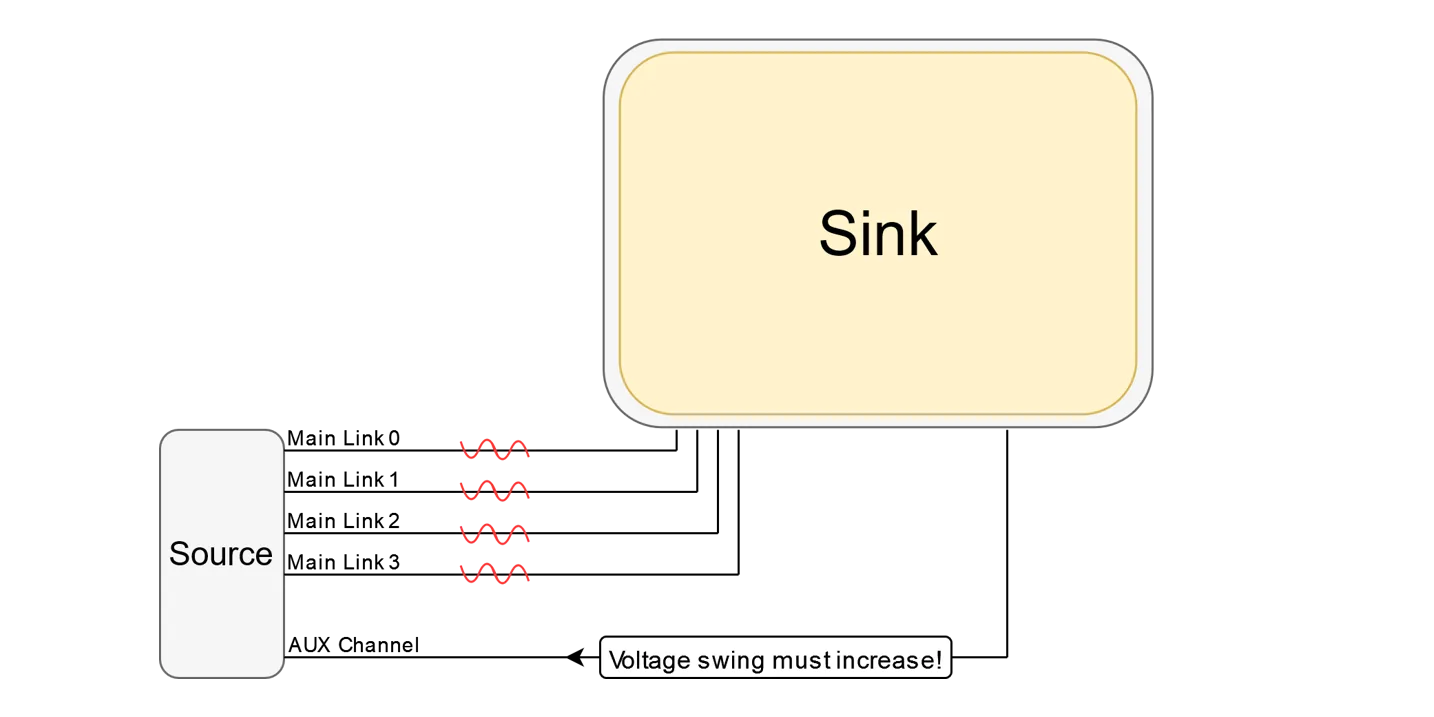
- Trigger the power state. Use SV5C to request ALPM or PSR; monitor AUX channel transactions to confirm the handshake.
- Validate wake-up timing. Exercise bursts of user input or video refresh to ensure the sink exits the power state inside spec.
- Stress with corner patterns. Combine reduced refresh rates, panel self refresh updates, and link training retries to expose firmware bugs.
- Correlate measurements. Overlay oscilloscope captures with SV5C logs so designers can tie power savings to specific AUX messages or panel frames.
Primeasure Checklist
Every debug session we run includes these quick checks:
- Validate AUX channel decoding before entering low-power modes.
- Log rail currents at the source and sink to catch mismatched expectations.
- Capture screen anomalies using SV5C’s pattern generator so firmware teams have concrete evidence.
- Version-control every SV5C script and oscilloscope setup to keep regressions repeatable.
Source Inspiration
This summary is based on Introspect Technology’s post, “How We Debug eDP’s Power Saving Features.” Review their original article for screenshots, waveforms, and deeper dives on SV5C capabilities.
Need Help Validating eDP Power Modes?
Primeasure supports embedded display teams across India with Introspect SV5C deployments, scripting, and onsite training. We can help you characterise PSR, ALPM, and sleep states before your next product milestone.
Explore Primeasure's Test & Measurement solutions available across India.
Talk to Our Display Experts